
GTA 6 Xbox Series X and Xbox Series S players have been able to explore Leonida since Thursday, November 19, 2026 at midnight local time—launching alongside PS5 from Rockstar Games. Both Xbox consoles run the same native current-gen build targeting 30 fps and require 212 GB of free internal storage. Here is everything you need to know about console differences, editions, storage, and installation on Xbox Series X|S.
In short: GTA 6 Xbox Series X|S essentials
- Release date: live globally since November 19, 2026 on Xbox Series X and Xbox Series S (not available on Xbox One).
- Performance: both consoles target 30 frames per second with no 60 fps mode announced; Xbox Series X delivers the sharpest visuals.
- Install size: reserve at least 212 GB of free space (especially tight on a 512 GB Xbox Series S).
- Editions & physical box: Standard Edition and Ultimate Edition on the Microsoft Store include 1 month of GTA+ (auto-renewing); physical Xbox boxes contain a download code rather than a disc.
Xbox Series X vs. Xbox Series S: Performance & Visuals
Built from the ground up for current-generation hardware, GTA 6 Xbox Series X is the premier Microsoft version, offering higher visual fidelity on 4K displays while keeping the same 30 fps target as PS5 and Xbox Series S. Series S runs the full game with scaled-back visual settings.
| Console | Build | Frame Rate Target | Key Takeaway |
|---|---|---|---|
| Xbox Series X | Native current-gen | 30 fps | Best Xbox visual presentation and 1 TB internal SSD. |
| Xbox Series S | Native current-gen | 30 fps | More modest graphics settings; 512 GB models fill up fast with a 212 GB install. |
Astuce
Display tip for 30 fps: enable Game Mode on your TV to minimize input latency, and turn on Variable Refresh Rate (VRR) in your Xbox video settings if your screen supports it for smoother frame pacing.
Editions, Pricing & Physical Copy Details on Xbox
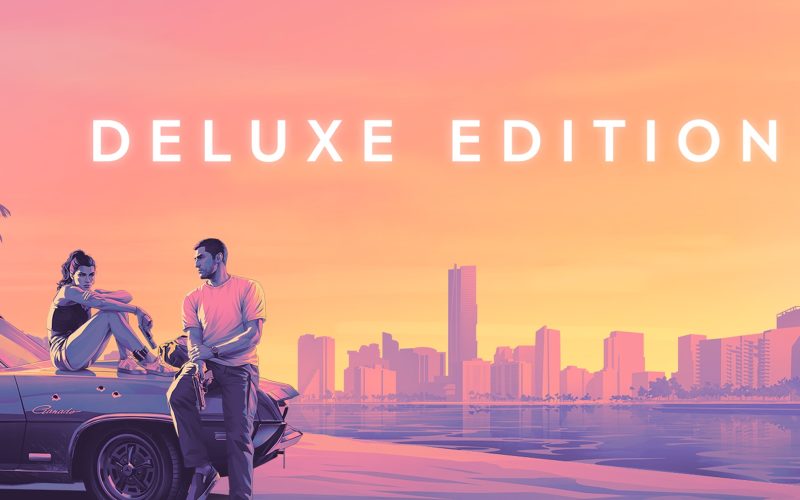
On the Microsoft Store, GTA 6 launched in two main digital tiers: the Standard Edition (€79.99 in Europe / $69.99–$79.99 depending on region) and the Ultimate Edition (€99.99 in Europe). Digital purchases include a complimentary one-month trial of GTA+ (check your Microsoft account settings if you do not want automatic renewal).
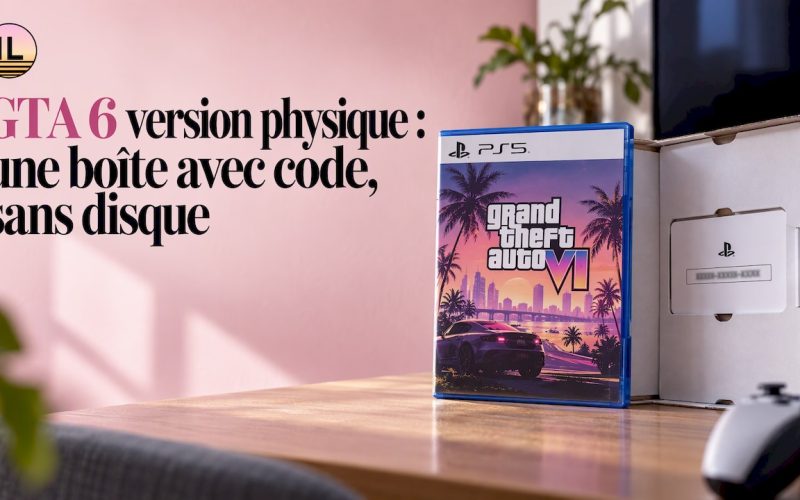
If you pick up a retail box for GTA 6 Xbox Series X or Series S, note that the case contains a digital download code with no physical disc, meaning you still need to download the full 212 GB over your internet connection.
Step-by-Step: Installing GTA 6 Xbox Series X|S (212 GB)
- Clear 212 GB of internal storage: open My games & apps > Manage and uninstall unused titles or move older Xbox One games to an external drive.
- Download via Microsoft Store: redeem your box code or start the digital download on the Microsoft account you play on.
- Enable automatic updates: go to Settings > System > Updates and check Keep my games & apps up to date so launch patches install automatically.
- Use wired Ethernet if possible: a 212 GB file downloads far more reliably over Ethernet than unstable Wi-Fi.
Once installed, jump straight into Leonida with our 61 GTA 6 cheat codes guide, our fast money & BuckMe guide, and our all 5 GTA 6 endings guide.
5-Minute Launch Checklist for GTA 6 Xbox Series X|S
Before diving into Vice City and the Leonida Keys on your GTA 6 Xbox Series X or Series S, run through this quick five-minute checklist: confirm your Microsoft account is signed in, verify all 212 GB plus day-one patches are installed, turn on Game Mode and VRR on your display, charge your controller, and keep at least 30 to 40 GB of spare SSD capacity for upcoming title updates.
Because the 512 GB Xbox Series S leaves just over 300 GB of usable space after system files, pairing your console with an official storage expansion card or offloading older games to an external USB drive is the simplest way to keep GTA 6 Xbox Series X|S running smoothly without juggling installs every time a new patch drops.
Remember also that cheat codes on Xbox Series X|S only unlock after beating the main campaign—and activating any cheat temporarily disables Xbox Achievements and saving for your active session—so always keep a clean manual save before experimenting.
Frequently asked questions
Does GTA 6 run at 60 fps on Xbox Series X?
No. GTA 6 targets 30 fps on both Xbox Series X and Xbox Series S, with no 60 fps performance mode announced.
How much storage space does GTA 6 Xbox Series X|S require?
You need at least 212 GB of free internal SSD storage on both Xbox Series X and Xbox Series S, even if you buy the boxed edition.
Does the physical Xbox edition of GTA 6 include a disc?
No, the retail Xbox box contains a digital download code only and requires downloading the full 212 GB game.
What’s next?
Explore all our GTA 6 guides and our complete Ici Leonida Wiki covering every vehicle, weapon, radio station, and collectible in Leonida.
Laisser un commentaire